The Sign-In Travesty

One of the most common design elements that stops users in their tracks is the sign-in page. A poorly-designed sign-in page can prevent users from proceeding with their task, thereby dramatically increasing abandonment rates.
We recently encountered this problem, in its full glory, at the CollegeBoard.com site, while observing users registering for the fall SAT courses.
Upon starting the registration process, the user is faced with this screen:
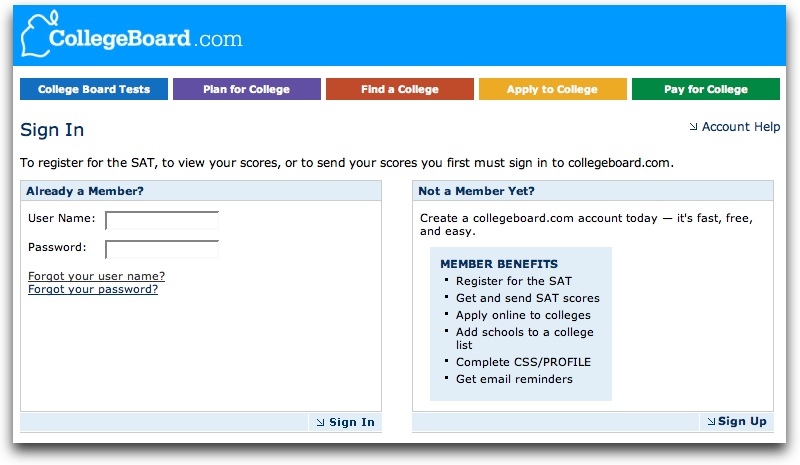
The sign-in page for CollegeBoard.com
Of course, the user now needs to know if they have an account or not. If the user is a parent with multiple children, they may have an account, having signed a sibling up previously. Or maybe they signed the student up for another test. However, these scenarios could’ve happened years before, so remembering the user id or the password may not work.
The user may try a common user name/password combination. However, if the user name is unrecognized by the system, it generates an error:
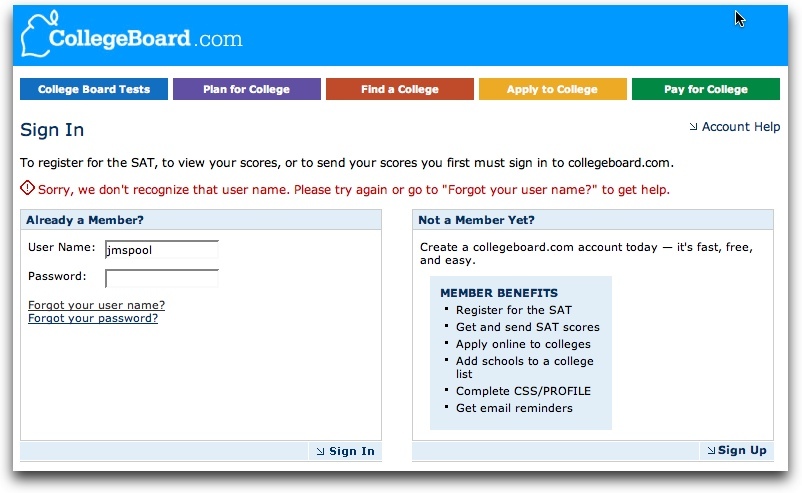
Receiving an error due to an unrecognized user name or password
Now the user is faced with a decision. Do they try another user name (there may be dozens to choose from) or do they try the unknown “Forgot Your User Name?” feature? Most of our users, wasted a little time trying other combinations that didn’t work before progressing on to the user name recovery feature:

The “Forgot Your User Name” feature
To recover the user name, the user has to put in their email address. However, this comes with its own challenges since many people have multiple email addresses and they frequently change them. (It’s estimated that one-third of all email addresses become obsolete every year.)
Entering an email address that the system doesn’t recognize produces the following error message:

An error from entering an unrecognized email address
The system informs the user that is doesn’t have anyone in their system who has that email address.
What is the user supposed to do now? There’s no “Create New Account” option, if that’s the proper thing. There’s no way to deduce which old email address could be in the system. The user has reached a dead-end.
At best, the user would hit the back button, but, amusingly enough, that produces a POSTDATA error message which sounds like something bad is going to happen, so users get very concerned.
What can developers do to avoid the Sign-in Travesty? They could postpone any notion of account sign-in until as late as possible. For example, if users don’t remember if they’ve already created an account, let them continue with the process. Once they start entering personal information (CollegeBoard.com asks for addresses, phone numbers, and social security numbers), the site can match that against information already in the database.
At a minimum, you should be regularly watching people who can’t remember their account information as they try to use your site. You’ll learn that your attempts to make the site convenient, by remembering information, actually makes it very inconvenient. And that’s the travesty of a poorly-implemented sign-in process.